Volgap for MSPs: every client, every tool, one screen
Volgap reads your RMM, EDR, PSA and Microsoft 365 across all your clients. Every morning it shows what needs you, with a name on every gap.

Volgap reads your RMM, EDR, PSA and Microsoft 365 across all your clients. Every morning it shows what needs you, with a name on every gap.
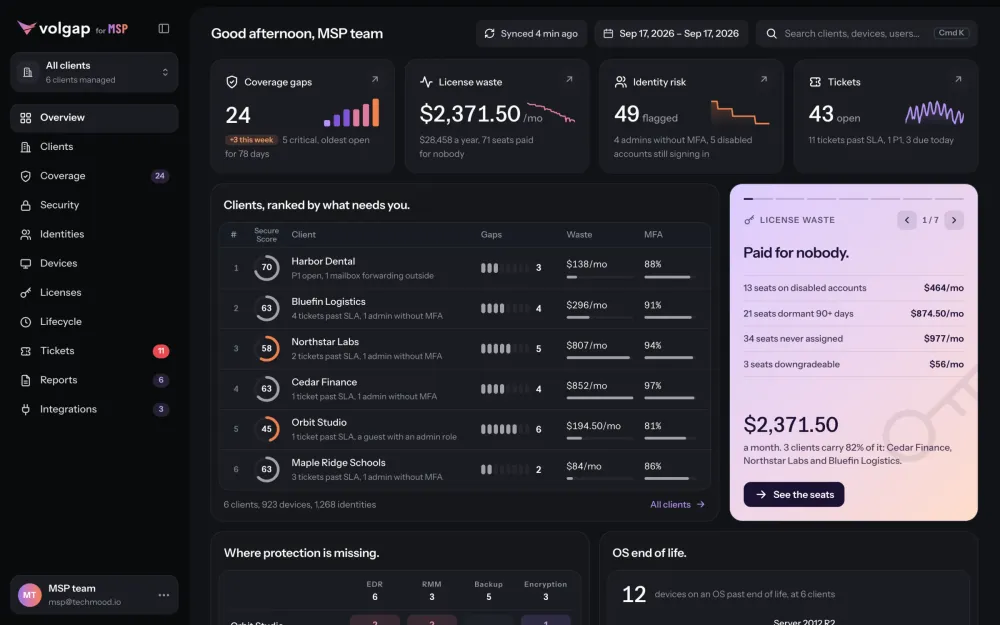
The overview ranks your clients by what needs you, with the reason written under each name. An open P1 always comes first.
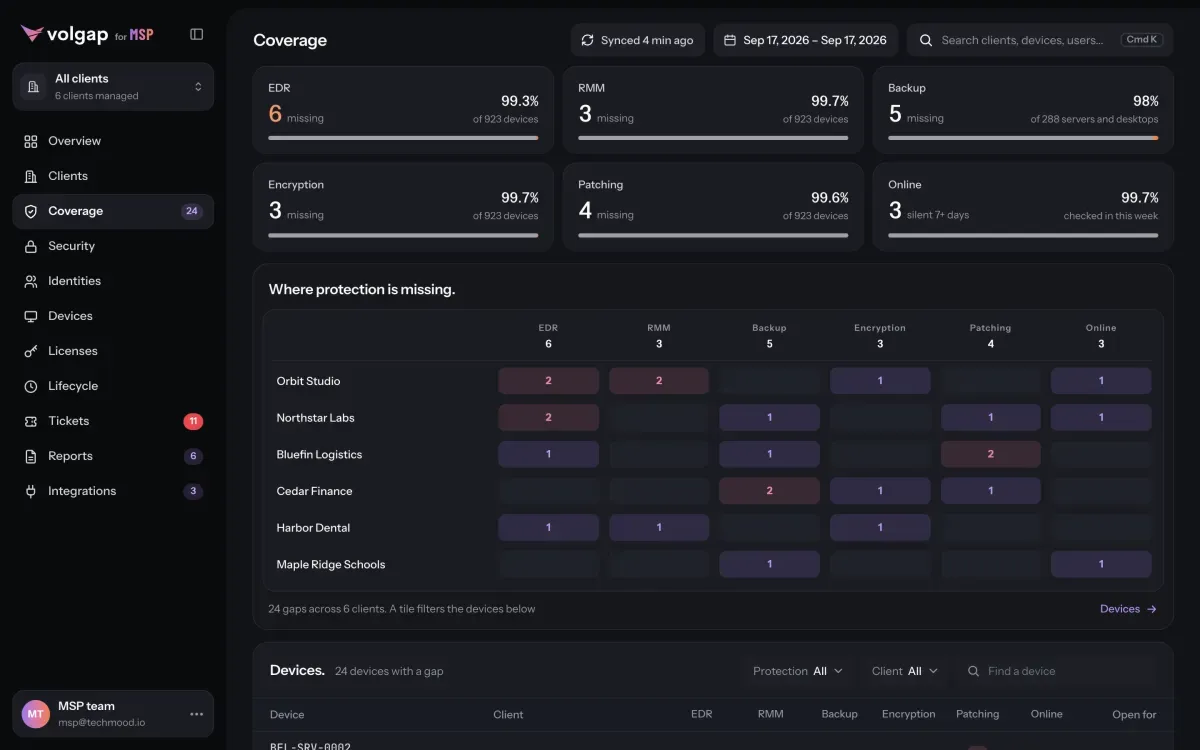
Volgap matches each device across your tools by serial number, name or MAC address. It shows the devices missing EDR, RMM, backup, encryption or patches, at which client and since when.
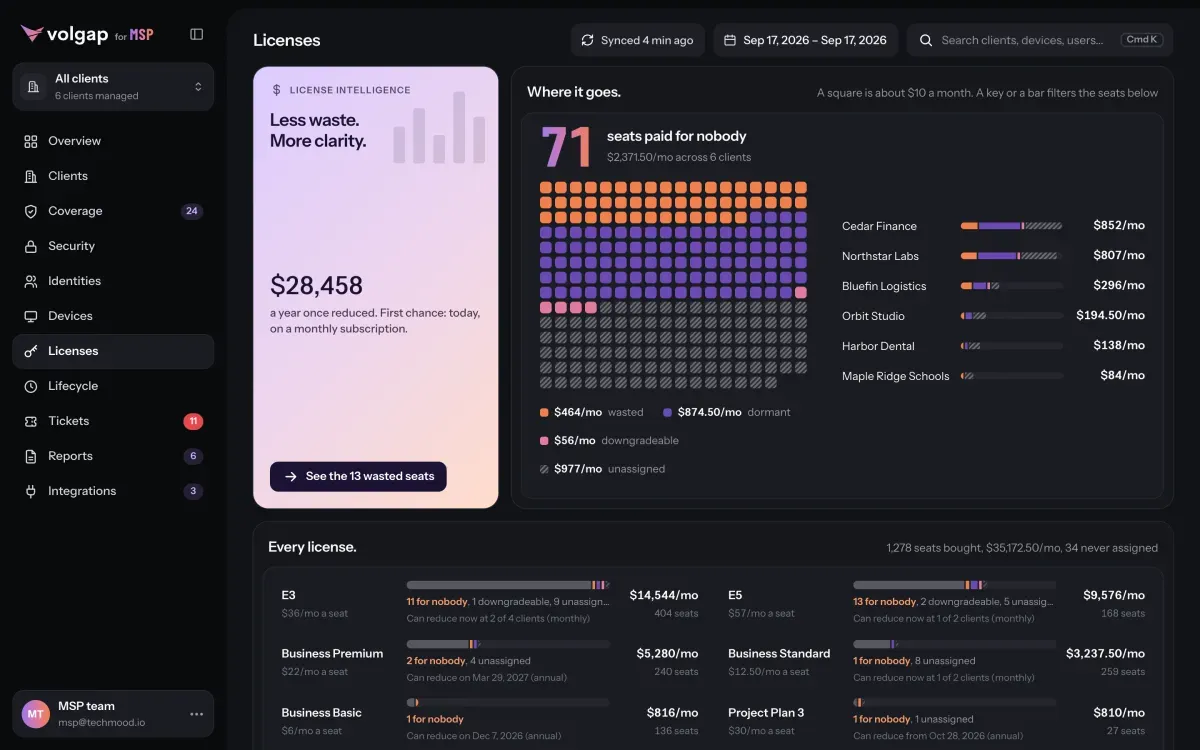
Seats on disabled accounts, dormant for 90 days, larger than needed or never assigned. Each one with a name, a price and the date you can reduce the subscription, NCE annual terms included.
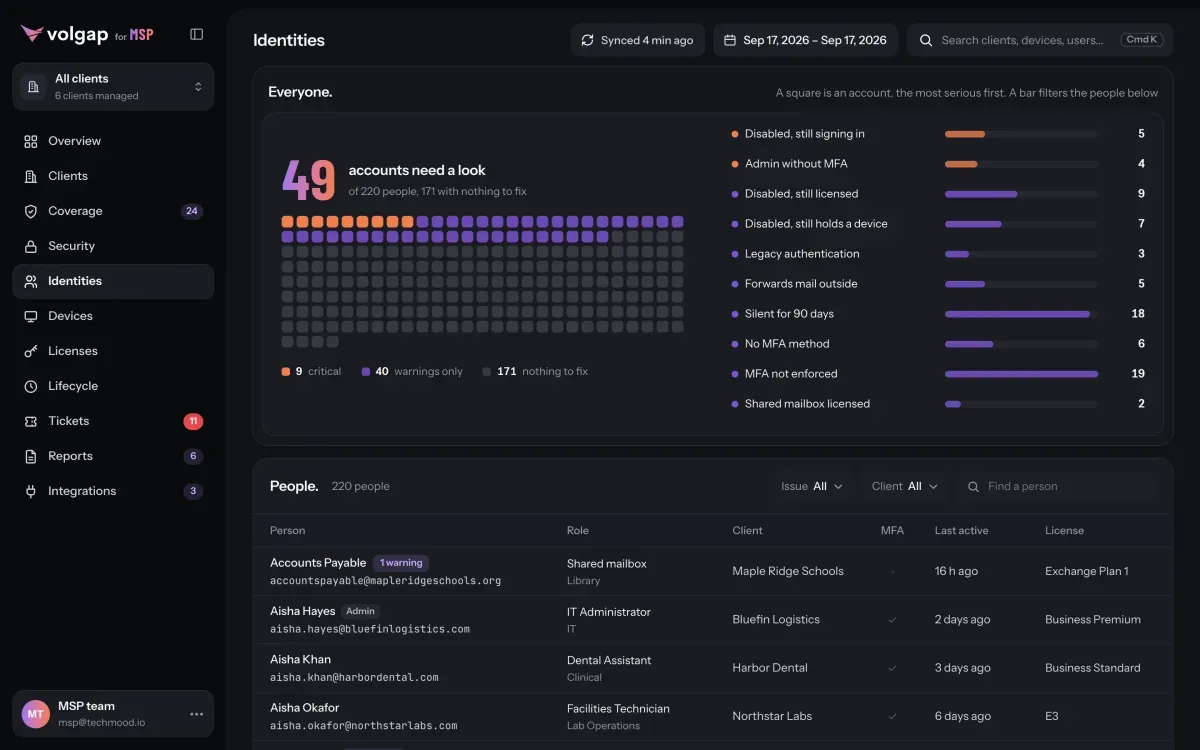
Admins without MFA, disabled accounts still signing in, accounts silent for 90 days. Each issue comes with the client, the person and the next step.
Dell, HP and Lenovo warranties are looked up from the serial number, with the age of every computer and the end-of-support date of its operating system.
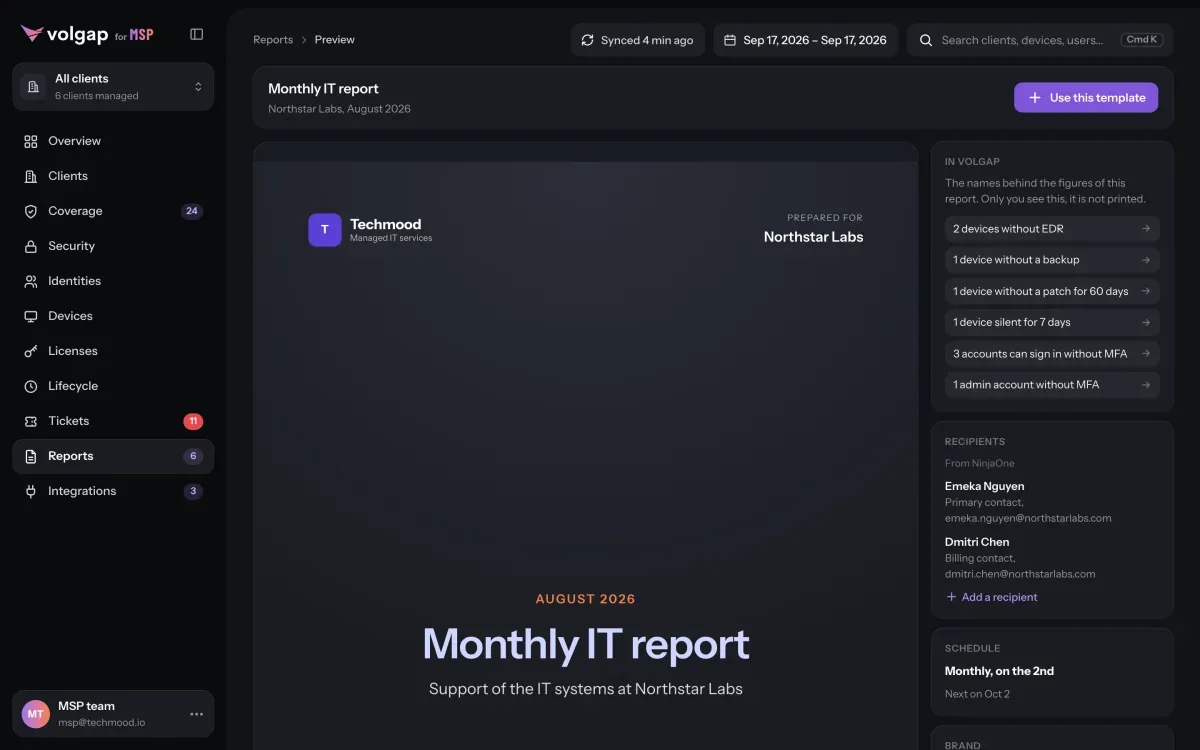
One PDF per client, in your colors, filled with the month’s numbers and what is left to fix. You read it, adjust a sentence and send it.
Eight consoles, dozens of clients, no single answer. Your RMM knows its devices, your EDR its agents, Microsoft 365 its accounts. None of them knows what is missing in the others.
The laptop that has had no EDR for two months gets found the day it gets hit. Licenses left on disabled accounts are paid every month, and found once a year in a spreadsheet, when they are found at all. The monthly report gets copied by hand, console after console, client after client.
When three tools see the same laptop, Volgap counts one device and shows where the tools disagree. Tickets from your PSA join the same view: each open ticket is set against its SLA, with the device or person behind the request. Email alerts flag a coverage gap, an account at risk or a tool that stops reporting.
Volgap is read-only, by design. It does not deploy the missing agent, remove a license, enforce MFA or answer tickets. Every gap comes with the next step to take in your RMM, your EDR, Intune or Microsoft 365. It is not another RMM: it reads the ones you already run.
To act directly on your clients’ Microsoft 365 tenants, with bulk actions on accounts and MFA, see OctoPane, our multi-tenant Microsoft 365 console.
Volgap is built by Techmood, an IT services company based in Rouen, France. Our consultants built it after seeing, client after client, the same missing protections and the same licenses paid for nothing. They use it to know where to look first, and they can help you fix what it finds, as part of our security expertise.
Volgap for MSPs is free for 3 months on your company and one client, with every Pro feature. After that, the price is fixed and follows your number of computers and servers: from $149 a month for Starter, from $299 a month for Pro, and Scale built with you. Prices exclude taxes, and clients are unlimited in every plan.
Features, integrations, security details and signup are on volgap.com/msp. Our other products are on the Techmood software page. A question before you try it? Contact us.
Every feature, integration and the trial are on the official Volgap for MSPs website.
Go to volgap.com/mspNo. An API key per tool and a Microsoft 365 consent are enough, and nothing is installed on your clients’ devices. Volgap only reads: it never changes an account, a device, a rule or a ticket, and never reads the content of an email. Your workspace is hosted on AWS, in Europe or the United States, chosen at signup.
About twenty SaaS tools today, including NinjaOne, SuperOps, Datto RMM, ConnectWise, N-able, HaloPSA, Microsoft 365, Google Workspace, Okta, SentinelOne, Huntress, Sophos, Bitdefender, Cortex XDR and Cisco Meraki. On-premise tools such as Active Directory, VMware and Veeam come next.
MSPs and managed IT providers who follow several clients across several consoles. Clients are unlimited, and you pay for computers and servers. The free tier gives you every Pro feature for 3 months, on your own company and one client, up to 100 devices. A card is required, and nothing is charged during those 3 months.
Volgap is built by Techmood. It grew out of what our consultants kept seeing on assignments: the same unprotected devices and the same forgotten licenses at every client. They use it, and they can help you fix what it finds.