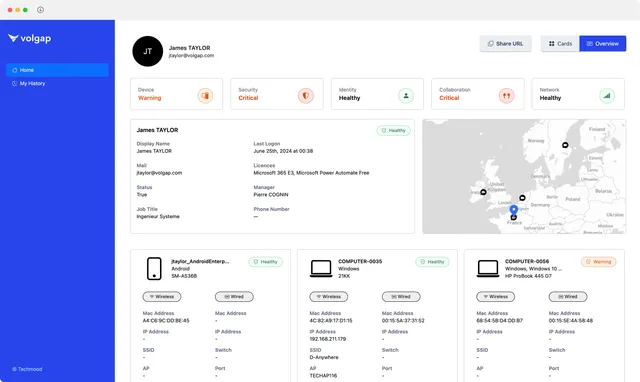
A file sent as an attachment, edited by three people, then saved in four different places. A Teams team created for every project and never archived. A file server whose “Common” folder holds years of history nobody dares sort through. Email still hosted on an ageing Exchange server. On paper, the company has Microsoft 365. In practice, it uses half of it, alongside the old habits.
The problem is not the tool. It is the lack of clear rules: where to store what, who creates a team, how to share a document with a client. Without these rules, each employee invents their own method, and support spends its days finding files or restoring access.
Our Microsoft 365 service covers migration, organisation and adoption
- Audit of the current state: email, file server, licences, actual use of Teams, external sharing.
- Email migration to Exchange Online, in particular from Exchange Server 2016 or 2019, which have no longer been supported since 14 October 2025.
- File migration to SharePoint and OneDrive, after a clean-up carried out with the business teams.
- Teams organisation: naming, templates, owners, team lifecycle, guest access.
- Governance: who creates, who shares, who archives, and under which rules.
- Adoption: workshops, short guides, relays in each department.
We also review your licences. A company sometimes pays for options it does not use, or goes without protections already included in its subscription. Microsoft 365 Business plans, limited to organisations of up to 300 users, and Enterprise plans do not offer the same security and device management features. The right choice depends on your usage, not on a price list. For meeting rooms, we finally check that the equipment, the network and the Wi-Fi allow hybrid meetings without complicated handling.
Security is built in from the design stage, in line with our Microsoft 365 security service. The devices that access your data can be managed with Intune and Autopilot, for a consistent environment from end to end.
A Microsoft 365 migration in waves, with no disruption for teams
- Diagnosis. Interviews with a few users from each job and technical analysis of the current setup.
- Design. SharePoint site architecture, Teams structure, sharing rules and migration plan.
- Preparation. Data clean-up, creation of the spaces, advance synchronisation of mailboxes.
- Pilot. One department switches first, and we adjust based on its feedback.
- Cutover in waves. Email first, then files, department by department, with reinforced support.
- Adoption and follow-up. Workshops, user feedback, governance adjustments.
Clear rules and documentation handed to your team
- A review of your environment and of actual usage.
- A detailed migration plan, wave by wave.
- A usage charter for Teams, SharePoint and OneDrive, written in plain language.
- Adoption materials tailored to each job.
- Administration documentation, handed to your IT team.
Real usage as the starting point, from Rouen to Paris
We start from how your teams really work, not from a theoretical diagram. A workshop sharing manufacturing drawings does not have the same needs as an accounting department at year-end close, or a sales management team always on the road. Our consultants set the rules with the users, and that is precisely why they last. IT in the service of the people who use it starts here.
Techmood is based in Le Petit-Quevilly, in the Rouen metropolitan area. Our consultants work on assignment in Rouen, Le Havre, Évreux and Paris, as close as possible to the teams who will live through the change.
To go further, our digital workplace guide for SMEs and mid-sized companies explains how to lay a consistent Microsoft 365 foundation, and our Microsoft 365 security checklist helps you check the essentials. Also see the profile of our digital workplace engineers and our digital workplace expertise.
A Microsoft 365 project to launch or to get back on track? Let’s talk.