Windows 10 is no longer supported, yet some devices hold out
Support for the mainstream editions of Windows 10 ended on 14 October 2025. Since then these devices no longer receive security fixes, unless they are covered by the paid Extended Security Updates (ESU) programme, which is limited to three years and gets more expensive each year. Yet in many companies the migration is not finished. There are the sales laptops that never come into the office, the workshop PCs nobody dares touch, the accounting machine running software that was never tested, and a few machines too old to upgrade whose replacement was never budgeted.
These last devices are the hardest to handle and the most exposed. Your IT team knows it, but it also has to keep day-to-day support running. This is where a dedicated migration service makes the difference: someone for whom this is the only job, and who sees the list through to the end.
If you first want to understand the issues, ESU, hardware compatibility or LTSC editions, our article on finishing a Windows 11 migration covers them. This page describes the service we deliver at your premises.
Our service covers the migration from inventory to the last device
We take on the migration end to end, or only the part you are missing.
- The real inventory of the fleet, obtained by cross-checking existing consoles and then confronting the result with the field.
- Sorting the devices into compatible, to be replaced and special cases, with the list of hardware to plan for.
- Application testing on a pilot group: line-of-business software, VPN clients, label printers, barcode readers, licence keys.
- Phased rollout, remote where possible, on site where necessary.
- User communication: what changes, when, and who to call if something goes wrong.
- Handling of exceptions, including devices running Windows 10 Enterprise LTSC 2021, whose support ends on 12 January 2027.
Where it makes sense, we use the migration to change method and move to modern device management with Intune and Autopilot. New devices then arrive configured, with no system image to maintain.
A Windows 11 migration in six steps
- Scoping. We meet the IT management and department heads to set the scope, the business constraints and the periods to avoid, such as an accounting close or a production peak.
- Inventory and sorting. Every remaining device is identified, linked to a user and a site, then classified.
- Pilot. A first wave of volunteers, representative of the different jobs, validates the applications, the peripherals and the procedure.
- Rollout waves. Compatible devices are upgraded while keeping files and applications. New devices arrive pre-configured. Each wave is announced, then followed by reinforced support.
- Exceptions. Devices that cannot migrate right away are isolated on the network, stripped of administrator rights and given an exit date.
- Closure. We check that no Windows 10 device remains outside the exceptions list and hand the documentation over to your teams.
Deliverables your team can pick up
- A consolidated inventory of the fleet, device by device, with its migration status.
- The list of tested applications and peripherals, with any fixes to apply.
- A wave plan and the matching communication messages for each department.
- An exceptions register: reason for keeping the device, protection measure, owner, planned exit date.
- An end-of-assignment report, readable by management.
Consultants on assignment in Rouen and Paris, centred on your users
A successful migration is one that users barely notice. Our consultants start from their working day: which software must never stop, which workshop runs at night, which salesperson is only available on Fridays. This is our signature: IT in the service of the people who use it.
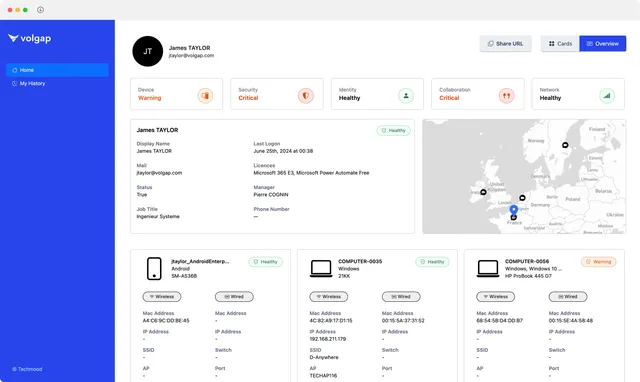
Techmood is based in Le Petit-Quevilly, in the Rouen metropolitan area, and supported by the Normandy Region. Our consultants work on assignment at client sites in Rouen, Le Havre, Évreux and Paris, on site for what requires being there, remotely for the rest. They work with your IT team, not in its place, and leave it a documented fleet. To spot forgotten devices, Volgap, the software we publish, reconciles data from your existing tools without any agent.
Discover the profile of our digital workplace engineers and our full digital workplace expertise.
Still have devices on Windows 10, or a migration to start? Let’s talk about your fleet.